
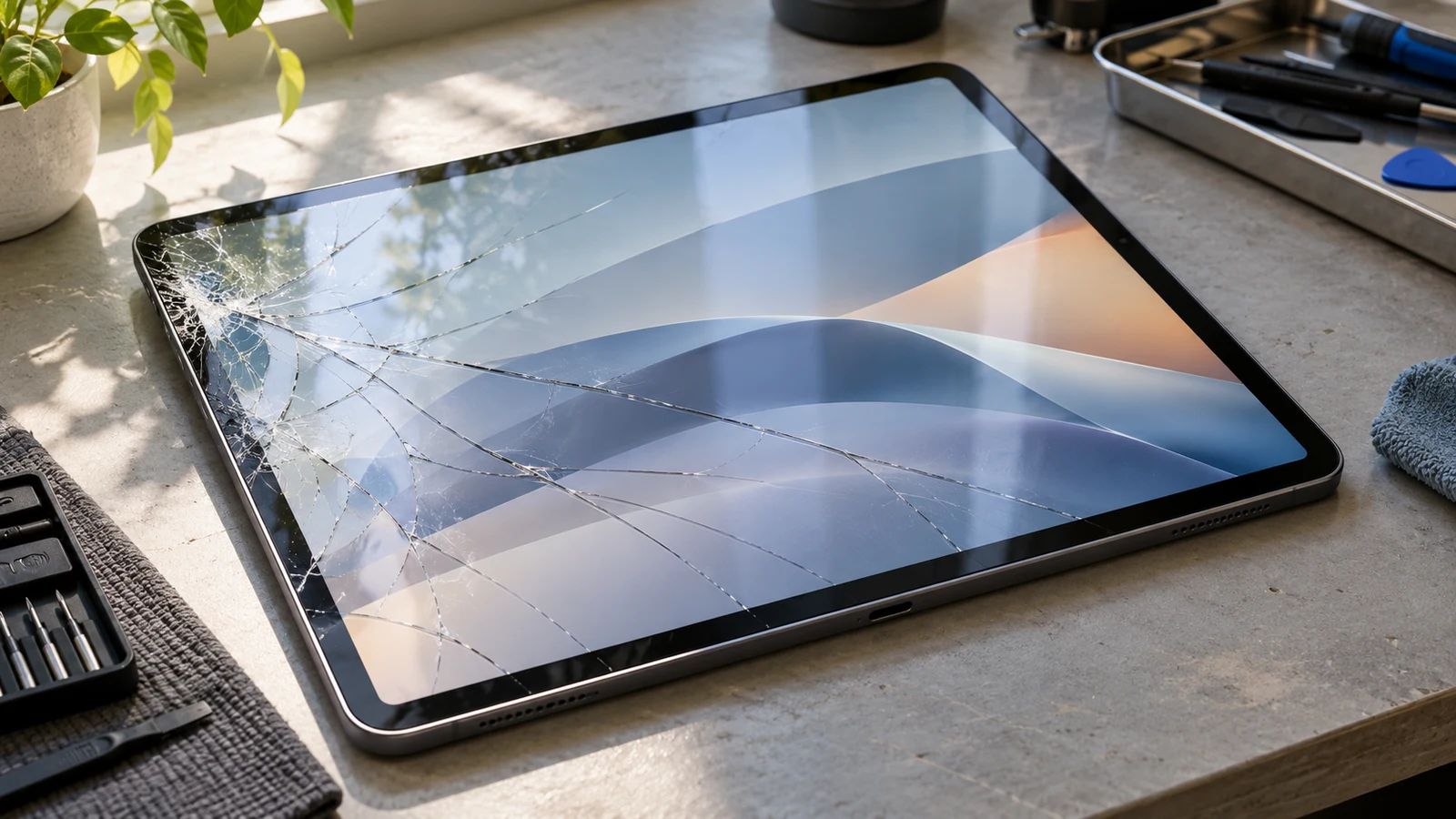
A cracked iPad screen does not always mean the entire display must be replaced. The correct repair depends on which layer is damaged and how the specific iPad model is built.
On some iPads, the front glass and touch-sensitive digitizer can be replaced separately from the LCD. On other models, the display and touch layers are bonded together, making replacement of the complete display assembly the normal repair approach.
The first question is not simply whether the glass is cracked. It is whether the image, touch response and underlying display components are still working correctly.
Identifying the exact iPad model is just as important as examining the visible damage.
Quick Answer: Glass or Display?
| What you notice | What it may indicate | Repair consideration |
|---|---|---|
| Cracked glass, normal image and touch | Damage may be limited to front glass | Depends on model construction |
| Cracked glass and unreliable touch | Digitizer or related damage | Touch assembly diagnosis |
| Black spots or coloured lines | Internal display damage | Display replacement may be required |
| Screen remains black | Display, connection or other hardware issue | Professional diagnostics |
| Apple Pencil behaves incorrectly | Touch layer or display-related issue | Test compatible Pencil functions |
| Screen lifts away from the frame | Adhesive damage or possible internal pressure | Stop using it until assessed |
A visible crack is evidence of physical damage, but it does not identify every affected component.
Understanding the Layers of an iPad Screen
People often use the words glass, screen and display interchangeably. In repair work, those terms can describe different parts.
Cover glass
The outer glass provides the surface you touch. Its role includes physical protection and allowing the image underneath to remain visible.
A crack can be limited to this outer area, although determining whether it is truly isolated requires more than a visual inspection.
Touch digitizer
The digitizer detects finger interactions and, depending on the device design, works alongside technology supporting Apple Pencil input.
A damaged touch system may produce missed taps, incorrect touch locations, intermittent response or unwanted input.
The digitizer can be a separate part of the repair assembly or integrated more closely with other layers.
LCD or OLED display
The display produces the image.
Depending on the iPad generation and model, the display technology may be LCD or OLED.
If the internal display is damaged, symptoms can include dark patches, horizontal or vertical lines, incorrect colours and areas where no image appears.
Importantly, touch input and image generation are separate functions. One can fail while the other continues to work.
Adhesive and laminated construction
The layers are arranged differently across iPad models.
Some designs use a separate front digitizer above the display. Others use laminated assemblies in which the cover glass, touch components and display are closely bonded.
That construction affects repair complexity, part selection and whether replacing only one layer is a practical option.
Cracked Glass but the Display Still Works
Suppose an iPad falls onto a hard surface.
The front glass develops several cracks, but the image remains clear. Touch works across the screen, and there are no dark spots or lines.
This is a different situation from an iPad with a shattered display, missing image sections and unreliable touch.
A functioning display is encouraging because it suggests that the image-producing layer may still be operational.
However, it does not prove the damage is limited to inexpensive outer glass.
A laminated screen may still require an entire display assembly to be replaced. Even when separating the glass is technically possible, doing so may require specialized equipment and carry additional risk.
The appropriate method depends on the model and the repair provider’s supported procedures.
Do not assume that a repair shop can offer a glass-only replacement simply because the image is still visible.
When the Display Itself Is Damaged
Some symptoms point more strongly toward an internal display problem.
Black spots or spreading dark areas
Dark patches that appear after impact can indicate damage within the image-producing display.
They should not be confused with ordinary surface cracks.
If a dark area expands or obscures more of the image, a display repair becomes increasingly likely.
Coloured lines
Persistent vertical or horizontal lines may indicate damage to the panel, internal connections or display electronics.
Lines that appeared immediately after a drop should be treated differently from brief software-related glitches.
A technician still needs to inspect the device before identifying the specific failed part.
Screen flickering or intermittent image
A display that flashes, cuts out or changes brightness unpredictably might have a damaged panel or connection.
External impact is one clue, but similar symptoms can have more than one cause.
Touch problems
If portions of the screen no longer recognize input, the digitizer or another component in the touch system may be affected.
Unwanted touches, sometimes called ghost touches, can be particularly disruptive because they may activate controls without the user’s intention.
Avoid entering passwords or performing sensitive transactions on an iPad that is registering uncontrolled input.
Why the Exact iPad Model Matters
A repair estimate should start with the complete model identification, not just a description such as “10-inch iPad.”
Consider two examples.
The iPad 10th generation uses a separate glass digitizer positioned above the display. The iFixit repair guide for the iPad 10 documents this arrangement and distinguishes the digitizer from the display.
By contrast, the iPad Pro 10.5-inch screen repair guide addresses a more integrated display assembly.
These differences affect repair procedures. They are not evidence that one iPad family is always cheaper or easier to repair than another.
Product names also cover many generations. An iPad Air released several years ago may have a different display design from a newer iPad Air.
You can identify your model through Settings > General > About if the device remains accessible. Record the model name or model number before requesting a quote.
If the screen no longer works, other identifying information may be available from the device, its packaging or its purchase records.
What About Touch ID and Apple Pencil?
Screen damage can involve functions beyond displaying an image.
Touch ID
Some iPads integrate Touch ID into the Home button, while others use a sensor in the top button.
Repairs around these components require care because fingerprint authentication relies on specialized hardware and security-related design.
A cracked display does not automatically mean Touch ID is damaged.
However, it is sensible to test fingerprint authentication before and after a repair where the function is present.
Apple Pencil
If you use an Apple Pencil, check more than whether it can connect to the iPad.
Try writing across different areas of the display. Look for missing strokes, inaccurate positioning and inconsistent response.
Apple Pencil functionality can be affected by display and touch-related problems, depending on the model and the nature of the repair.
A screen that responds to ordinary finger taps is not necessarily performing correctly for detailed drawing or handwriting.
True Tone and display quality
Other important characteristics include brightness, colour accuracy and True Tone behaviour.
Apple’s guidance on genuine iPad displays identifies potential problems associated with improperly functioning replacement displays, including touch accuracy, Apple Pencil performance and colour-related features.
Those details matter when comparing repair options. The cheapest available screen is not automatically the best choice for someone who uses the iPad for drawing, reading or colour-sensitive work.
Glass Replacement vs Full Display Replacement
There are three broad possibilities.
Glass or digitizer assembly replacement: Appropriate on certain models when the image-producing panel is intact and the damaged front component can be replaced independently.
Complete display assembly replacement: Often the practical approach for laminated displays or when the internal image-producing panel is damaged.
Further diagnostics before parts replacement: Necessary when the screen is black, the device does not power on, or the symptoms could involve more than the display.
The choice should be based on the model, confirmed damage and available repair methods.
It is also important to distinguish replacing a separate digitizer assembly from separating bare cover glass from a laminated display. Those are not equivalent procedures.
A repair that requires precision separation and rebonding can be more involved than simply installing a compatible preassembled replacement.
What Should You Do Before Repairing a Cracked iPad?
If the device is still usable, back up important information before handing it over for service.
Avoid pressing on damaged glass to test whether the display is still functioning. Pressure can worsen existing damage.
If the cracks have sharp edges, minimize handling and do not attempt to peel damaged glass away.
A screen protector should not be treated as a structural repair for a broken display.
Also inspect the frame for bending or visible separation.
If the screen is lifting unexpectedly, particularly when the battery may be pushing against it, stop using or charging the device until it can be assessed.
For a tablet used for school or work, consider which files and applications must remain accessible during the repair process.
Is It Worth Repairing the iPad?
That depends on the total value of the device and the repair needed.
Consider the model, storage capacity, performance, battery condition and whether the tablet still supports your required applications.
An older iPad with a straightforward repair may remain useful for reading, schoolwork and everyday applications.
A more expensive repair on a device with a worn battery or other damage deserves closer comparison with replacement options.
The condition of Apple Pencil support, display quality and touch accuracy may also influence that decision.
Do not compare only the upfront repair price. Consider whether the repaired tablet will continue meeting your needs.
A proper estimate should identify what component will be replaced and what functionality can be tested afterward.
iPad Screen Repair in Downtown Montréal
For students at Concordia, McGill and other Montréal institutions, an iPad may hold lecture notes, annotated PDFs, drawings and assignments.
A damaged screen can affect much more than entertainment.
Before requesting repair, identify your iPad model, describe which functions still work and mention whether Apple Pencil or Touch ID is important to you.
Allô Réparation provides iPad and tablet repair services in Montréal. The specific repair approach should be confirmed after identifying the device and assessing the damage.
The bottom line: A cracked iPad glass surface does not automatically require a full display replacement, but glass-only repair is not available or practical for every model. The correct decision starts with the exact iPad model and a clear distinction between surface, touch and display damage.