
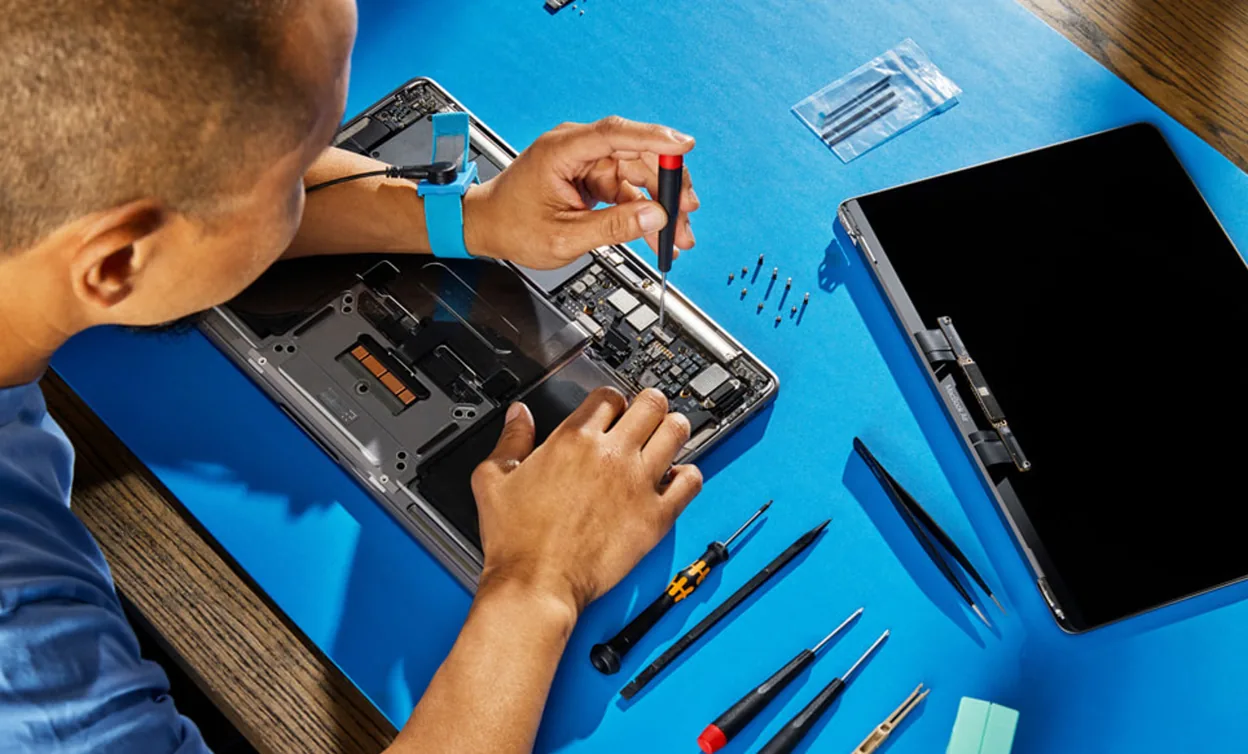
Direct answer
Microsoldering can make sense when testing identifies a localized fault on a MacBook logic board, such as a damaged connector, corroded area, shorted component or failed circuit that can be repaired without replacing the entire board. Symptoms alone do not prove that the logic board is bad. A failed cable, power adapter, battery, USB-C board, MagSafe board, display or other model-specific part can create similar symptoms. Start with safe external checks and Apple Diagnostics when the Mac can run it. The repair decision should be based on the exact model, measured fault, board condition, data importance and parts availability.
Quick answer
- A MacBook that will not charge does not automatically need logic-board repair.
- A black screen does not automatically mean GPU or backlight-circuit failure.
- A liquid spill can cause delayed corrosion even if the Mac initially works.
- Some MacBook models have separate USB-C, MagSafe, audio or Touch ID boards; the part layout varies by model.
- Microsoldering is useful only when diagnosis identifies a repairable board-level fault.
- Widespread corrosion, unavailable parts or damage to security-sensitive components can change the repair decision.
Symptoms do not identify the failed part
Several MacBook faults overlap. The same symptom can come from a simple external problem, a modular part or the logic board.
| Symptom | Possible directions | Useful first checks |
|---|---|---|
| MacBook will not charge | Outlet, adapter, cable, battery, charging port or board-level power circuit | Test the outlet, compatible charging cable and adapter; inspect for debris or damage |
| MacBook will not turn on | Empty battery, display issue, power input, firmware or logic-board fault | Follow Apple startup guidance and disconnect nonessential accessories |
| Charging works only at one port or angle | Cable, debris, connector, separate USB-C board or board connection | Stop moving the plug; compare a known-good cable and another supported port |
| Black screen with signs of power | Display, cable, backlight, graphics path or startup problem | Check external display behavior and Apple Diagnostics when available |
| Random restart | Software, peripheral, memory, power or hardware fault | Record the restart message, update macOS and isolate external devices |
| Trouble after liquid exposure | Wet connector, corrosion, shorted component or damaged module | Shut down, disconnect power and avoid further charging until dry and assessed |
Remote troubleshooting can narrow the direction, but it cannot identify a failed capacitor, controller or trace without measurement.
Safe checks before board repair is considered
Check the power source, adapter and cable
Apple recommends confirming the outlet, reconnecting the power adapter and trying a known-good charging cable. Some USB-C cables carry data but do not provide the charging capability a MacBook needs. If the cable works only when moved or held at an angle, stop using it and have the cable, adapter and port evaluated.
Use a compatible adapter and cable. Do not insert metal tools into a USB-C or MagSafe port. If there is visible damage, discoloration, heat or sparking from an unsafe location, disconnect the equipment.
Disconnect accessories
An external drive, dock, display adapter or damaged cable can interfere with startup or charging. Disconnect nonessential devices and test the Mac in a simple configuration. Keep a note of which accessory was attached when the problem occurred.
Use Apple Diagnostics when possible
Apple Diagnostics can help identify a potential hardware source and produce a reference code. It does not detect every intermittent or board-level fault, but a code and the exact symptom give a technician better starting evidence.
Record the Mac model, macOS version, diagnostic code and the steps that reproduce the problem. Do not erase the Mac merely to prove that a hardware issue exists.
Protect important data
If the Mac still starts, back up important files before the condition worsens. Storage architecture varies by model. On many modern MacBooks, data recovery can depend heavily on the condition of the original board and its integrated components. Do not promise recovery, but treat data importance as part of the repair decision from the start.
What microsoldering means
Microsoldering is component-level work performed under magnification with tools for measurement, controlled heat and precise soldering. It can involve tracing a short, testing a power rail, repairing a pad or trace, replacing a small component, restoring a connector area or cleaning and repairing localized corrosion.
It is not a magic step applied to every dead MacBook. A professional diagnosis should answer three questions before repair:
- Which circuit or component is failing?
- Is the fault localized and repairable on this board?
- What risks, model-specific limits and data implications apply?
A proposal that names the board without showing how the fault was isolated may be incomplete.
What microsoldering can repair
The exact possibilities depend on the MacBook generation and board design. Examples of repairable categories can include:
- localized corrosion or damaged traces after liquid exposure;
- a damaged connector or its board pads;
- a shorted passive component;
- part of a charging or power-input circuit;
- a model-specific backlight or display circuit;
- a damaged fan, audio or peripheral connection on the board.
These are categories, not promises that every affected MacBook can be repaired. The component must be available, the surrounding board must be viable, and the repair must make sense for the model.
Apple's repair manuals are useful context because they show that current MacBooks can have separately listed logic boards, USB-C boards, MagSafe boards, audio boards, Touch ID boards and other modules. A charging or input problem should not be labelled a logic-board failure before those model-specific possibilities are considered.
Charging faults and USB-C or MagSafe problems
A MacBook that does not charge can fail at several stages:
- the outlet;
- the adapter;
- the cable;
- the USB-C or MagSafe connector;
- a separate input board or flex cable, where the model uses one;
- the battery or battery-management path;
- a board-level charging or power circuit.
Testing should move from the external power source toward the board. Replacing or soldering a connector without confirming the rest of the path can leave the original fault unresolved. If testing points to physical connector damage, Allo's device port repair page explains the related service category.
Liquid damage needs a different response
If liquid reached a MacBook or its USB-C port, shut it down and disconnect all power. Apple warns that charging while moisture is present can corrode connector pins and cause permanent damage. Do not use external heat, compressed air, paper products inside the port or rice.
A MacBook that works after a spill is not necessarily clear. Residue and corrosion can create an intermittent fault later. The appropriate inspection depends on where the liquid entered, how long power remained connected and which areas show contamination. Do not keep turning the Mac on to see whether it still works.
Graphics, backlight and black-screen claims
A flickering or black display is not enough to diagnose a failed GPU. The screen, cable, backlight circuit, software, external display path and startup state can produce related symptoms. GPU reflow or reballing should not be advertised as a default solution. Any graphics-related board repair must be model-specific and measurement-led.
Likewise, a hot MacBook or loud fan does not prove an SMC fault. Apple silicon and Intel models do not share the same architecture, and even Intel models vary. Cooling, sensors, software, battery and power behavior should be checked before naming a controller.
When board repair makes sense
Logic-board repair is more attractive when:
- the fault is localized and measurable;
- the rest of the Mac meets the owner's needs;
- repair preserves important data or a useful configuration;
- the required components and technical information are available;
- the board is not broadly damaged by corrosion or heat;
- the expected result and limitations are clear before work begins.
The decision should include the Mac's exact model and year, not just the word MacBook.
When replacement may make more sense
Replacement of a module, board or device may be the better option when:
- testing identifies a separately replaceable module rather than the logic board;
- corrosion affects many areas or internal layers;
- a security-sensitive or paired component cannot be restored appropriately;
- parts are unavailable or the board has already been heavily reworked;
- several unrelated major faults are present;
- the repair would not restore a reliable device for the owner's intended use.
There is no responsible universal answer without diagnosis. The best option can also change when preserving data is more important than returning the device to daily use.
For service context, see Allo's MacBook and laptop repair page and microsoldering services. If the Mac contains important files and does not start, review data recovery services before authorizing a board swap or destructive procedure.
Questions to ask before approving a repair
- What evidence points to the logic board rather than the adapter, battery, display or a separate input board?
- Is the failed area localized?
- Does the repair preserve the original board and data path?
- Are any paired or security-sensitive components involved?
- What outcome can be tested after repair?
- What parts, labour, warranty and exclusions apply to this exact job?
The business-specific answers must be confirmed for the actual device. This article does not state a universal price, turnaround time, warranty or success rate.
Final answer
Microsoldering is appropriate when model-specific testing identifies a localized board fault that can be repaired safely and economically. It is not the first explanation for every charging, display, heat or startup symptom. Begin with the power source, cable, adapter, accessories and Apple Diagnostics, then decide between modular repair, board repair and replacement based on measured evidence.
To discuss a MacBook with a suspected board fault, contact Allo Reparation and confirm the current service and drop-off details. Bring the exact model, symptoms, liquid or impact history, any Apple Diagnostics code and the importance of the data on the device.
Sources
- Apple: If your USB-C power adapter is not charging your Mac laptop
- Apple: Use Apple Diagnostics to test your Mac
- Apple: If your Mac restarted because of a problem
- Apple: Liquid-detection alerts on MacBook Air and MacBook Pro
- Apple: MacBook Pro 14-inch 2024 repair manual
- Apple: Liquid damage and Mac warranty coverage