
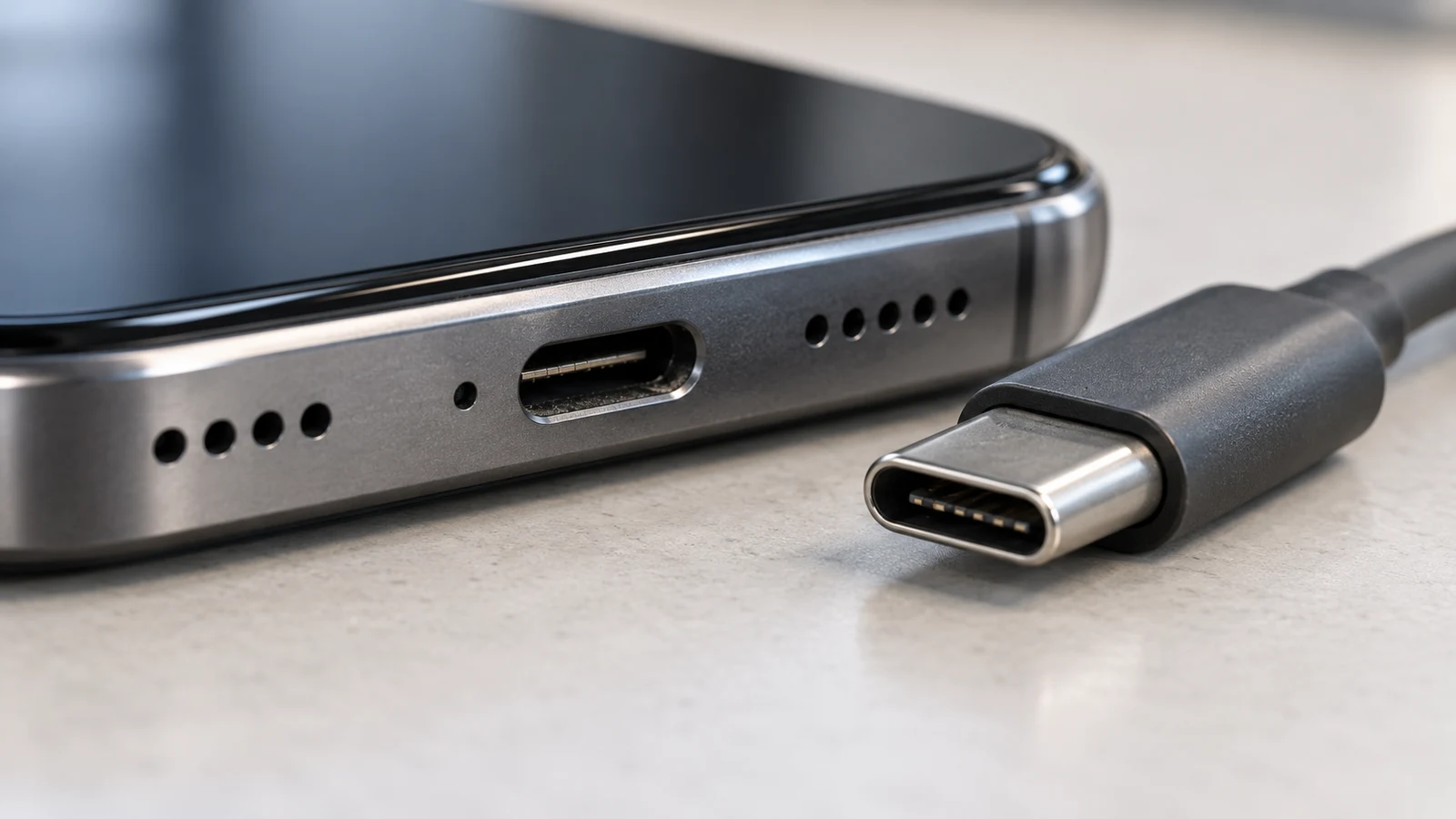
If your phone charges only when the cable is tilted, pushed sideways or held in a particular position, the problem often involves an unreliable physical connection.
A worn cable, debris inside the charging port or damage to the connector can prevent stable contact between the charger and the phone.
Before considering a charging port replacement, test a different compatible cable and charger, inspect the port for visible debris and check whether the connector fits normally. If charging continues to disconnect whenever the cable moves, the port may need professional inspection.
Do not keep bending the cable to force the phone to charge. That temporary workaround can worsen an existing connection problem.
Quick Answer: Why Does Charging Depend on the Cable Angle?
| What happens | Possible cause | What to check |
|---|---|---|
| Charging works with one cable but not another | Damaged or worn cable | Try a known-good compatible cable |
| Connector does not fully seat | Debris or connector damage | Visually inspect the port |
| Charging stops with slight movement | Unstable physical contact | Test another cable without applying force |
| Multiple chargers fail | Port or internal charging issue | Professional diagnostics |
| Charging works wirelessly but not by cable | Possible wired charging path problem | Inspect cable and port |
| Port becomes unusually hot or smells burnt | Potential electrical damage | Stop charging and seek service |
These observations help narrow the cause, but they cannot establish a diagnosis without inspection.
Why a Phone Charges Only When the Cable Is Bent
Charging depends on a reliable connection between the power source, cable, phone connector and internal charging circuitry.
When the connector no longer makes stable contact, even small movements may interrupt charging.
The phone may repeatedly switch between charging and not charging. You might hear connection sounds, see the charging symbol disappear or notice that the battery percentage increases only when the device remains perfectly still.
There are several possible explanations.
The cable connector may be worn or damaged. The phone’s charging port may contain compacted lint. Internal port contacts may have suffered mechanical damage.
In some cases, the connector is functioning physically but another part of the charging system has failed.
The fact that moving the cable changes charging behaviour points toward a connection problem, but it does not prove which side of the connection is defective.
Could the Charging Cable Be the Problem?
A damaged cable is one of the simplest possibilities to investigate.
Charging cables experience repeated bending, twisting and pulling. The outer insulation may look acceptable even when internal conductors or connector contacts are damaged.
Start by trying another cable that is compatible with your phone.
Use a reliable power adapter and a working outlet as well.
If the problem disappears with the second cable and does not return during normal use, the original cable is a likely cause.
Do not deliberately bend a cable repeatedly to reproduce the failure. That can increase the damage.
Also inspect the adapter end of the cable. A poor connection at the wall adapter or USB power source may sometimes be mistaken for a problem with the phone itself.
Apple’s iPhone charging troubleshooting guide recommends checking cables and adapters for damage and verifying that connections are secure.
Avoid using cables with exposed conductors, damaged insulation, bent connector parts or other visible defects.
Replacing a faulty cable is preferable to damaging a phone’s charging port.
Dirt, Lint and Debris Inside the Charging Port
Phones spend a considerable amount of time in pockets, bags and backpacks.
Small fibres and other particles can accumulate inside the charging port.
As material collects, a connector may no longer sit at the intended depth. The cable might appear to be plugged in while the contact is unstable.
Over time, debris may become compacted by repeated cable insertion.
Signs that debris may be involved
The connector may feel unusually loose, fail to seat completely or behave differently from when the phone was new.
Sometimes a cable appears to stop before reaching its normal position.
However, similar symptoms can occur when the port itself is damaged.
A visual inspection may reveal obvious material near the opening, but it cannot reliably show the condition of every internal contact.
Should you clean the port yourself?
Begin with the phone powered off and disconnected from charging equipment.
Inspect the port under adequate light without inserting anything.
If material is visible but cannot be removed without entering the port or applying force, professional cleaning is a safer option.
Avoid metal pins, needles, improvised hooks and other conductive objects that could damage contacts.
Do not pour alcohol, water or cleaning solutions into the port.
Do not force a cable into the connector to compress or dislodge debris.
Apple’s device-cleaning guidance emphasizes keeping liquids away from openings and disconnecting external power before cleaning.
The important distinction is between inspecting an opening and attempting to work inside a delicate electrical connector.
If cleaning requires force or tools, the potential cost of damaging the contacts outweighs the benefit of a quick experiment.
Signs of a Damaged USB-C or Lightning Port
Physical wear can affect both USB-C and Lightning charging systems.
Repeated cable movement, side pressure and accidental pulling may damage the connector or its attachment to other internal components.
Possible symptoms include:
Charging disconnects when the phone moves slightly.
Several known-good cables behave the same way.
The connector no longer fits securely.
The port appears bent or physically displaced.
The phone intermittently recognizes connected accessories.
Charging fails even though external equipment works with another device.
One symptom alone is not conclusive.
A loose connection might come from a damaged cable plug rather than the phone’s port. Debris can also mimic mechanical wear.
A proper diagnosis should distinguish the condition of the connector from the condition of the charging circuitry.
USB-C vs Lightning: Does the Connector Type Matter?
Both connector systems can develop problems, but their physical construction differs.
USB-C connectors have a central tongue inside the phone’s receptacle. Damage to this structure or the surrounding contacts can interfere with proper connection.
Lightning-equipped iPhones use a different contact arrangement.
Those differences affect what technicians inspect and which replacement parts or procedures are appropriate.
The repair may also vary according to the phone’s internal construction.
Some devices use a replaceable charging-port assembly or daughterboard. Others have a more integrated arrangement that can require specialized work.
The right repair method should be determined from the exact model rather than the connector shape alone.
What If Wireless Charging Still Works?
If your phone supports wireless charging, it can provide one additional diagnostic clue.
When wireless charging works normally but wired charging fails, the problem may involve the cable, charging port or wired charging pathway.
However, wireless charging does not prove that the battery or every internal charging component is healthy.
Wired and wireless systems share some power-management functions while relying on different physical interfaces.
A phone might therefore display different behaviour with the two charging methods.
Use the observation as diagnostic information, not as a final verdict.
For devices that support wireless charging, a compatible wireless charger may also provide a temporary charging option while a damaged wired connector is being assessed, provided the phone is otherwise safe to operate.
When the Problem Is Not the Port
Not every charging complaint requires a charging-port replacement.
Battery problems, power-management faults, temperature-related charging restrictions and moisture-detection systems can all interfere with charging.
For example, Samsung’s charging troubleshooting guidance explains that charging behaviour may be affected by the battery, cable, adapter, port, moisture detection or device temperature.
A phone that charges slowly under heavy usage is different from one whose charging connection disappears when the cable is touched.
Likewise, a phone that does not power on at all requires broader testing.
If the port looks undamaged and multiple cables and power supplies fail, a technician may need to examine the internal charging system.
A motherboard fault is a possibility, not a conclusion.
Replacing a charging connector without verifying the cause could leave the original problem unresolved.
What You Should Never Do With a Loose Charging Cable
A failing charging connection is inconvenient, particularly when the battery is nearly empty.
That makes it tempting to improvise.
Avoid holding the cable at an extreme angle for extended periods. Do not tape or wedge it into a position that creates pressure on the port.
Do not insert metal tools into the connector, attempt to bend internal contacts back into place or apply liquid cleaners.
Do not continue charging if the connector becomes excessively hot, shows discoloration, produces an unusual smell or exhibits other signs of electrical damage.
Disconnect the charger if it is safe to do so.
If the phone has been exposed to liquid or shows a moisture warning, follow the manufacturer’s drying and charging guidance rather than trying to override the warning.
A charging connection should not require force to function.
Repair, Clean or Replace the Charging Port?
The appropriate solution depends on what the inspection reveals.
Cable replacement
If the issue is isolated to a damaged cable, there may be no reason to open the phone.
Professional port cleaning
If contamination is preventing a secure connection and the connector is otherwise intact, appropriate cleaning may restore normal function.
Whether this is sufficient cannot be determined from the symptom alone.
Charging-port replacement
If the internal contacts or connector assembly are physically damaged, replacement may be required.
The repair process depends on the device model and how the charging port is attached internally.
Board-level diagnostics
If the connector is functioning but the phone still cannot charge reliably, additional testing may be needed.
This is where a technician may investigate the power path, internal connections and associated circuitry.
The important principle is to identify the failing part before replacing it.
Is Charging Port Repair Worth It?
A charging port can be a relatively small component, but its repair difficulty varies significantly between devices.
For an otherwise functional phone, resolving a connector problem may make more financial sense than replacing the entire device.
However, the decision should consider battery condition, device age, additional damage and the confirmed repair cost.
If the phone has major unrelated problems, the overall repair expense deserves comparison with replacement.
Before handing over the device, back up important information if you can still use it safely.
Even when the repair concerns charging hardware rather than storage, maintaining a current backup is good preparation.
Charging Port Repair in Montréal
If your phone charges only when the cable is tilted, note which cables you tested, whether wireless charging works and whether the connector feels loose.
These details can help distinguish a cable fault from a damaged port or another charging problem.
Allô Réparation provides device port repair and smartphone repair services in Montréal.
A professional assessment can determine whether the device needs cleaning, a replacement connector or more extensive diagnostics.
The bottom line: A phone that charges only at an angle usually deserves a physical connection check first. Test the cable, inspect the port and avoid forcing the connector. The correct repair depends on the actual cause, not simply on the angle that makes charging work.