
Direct answer
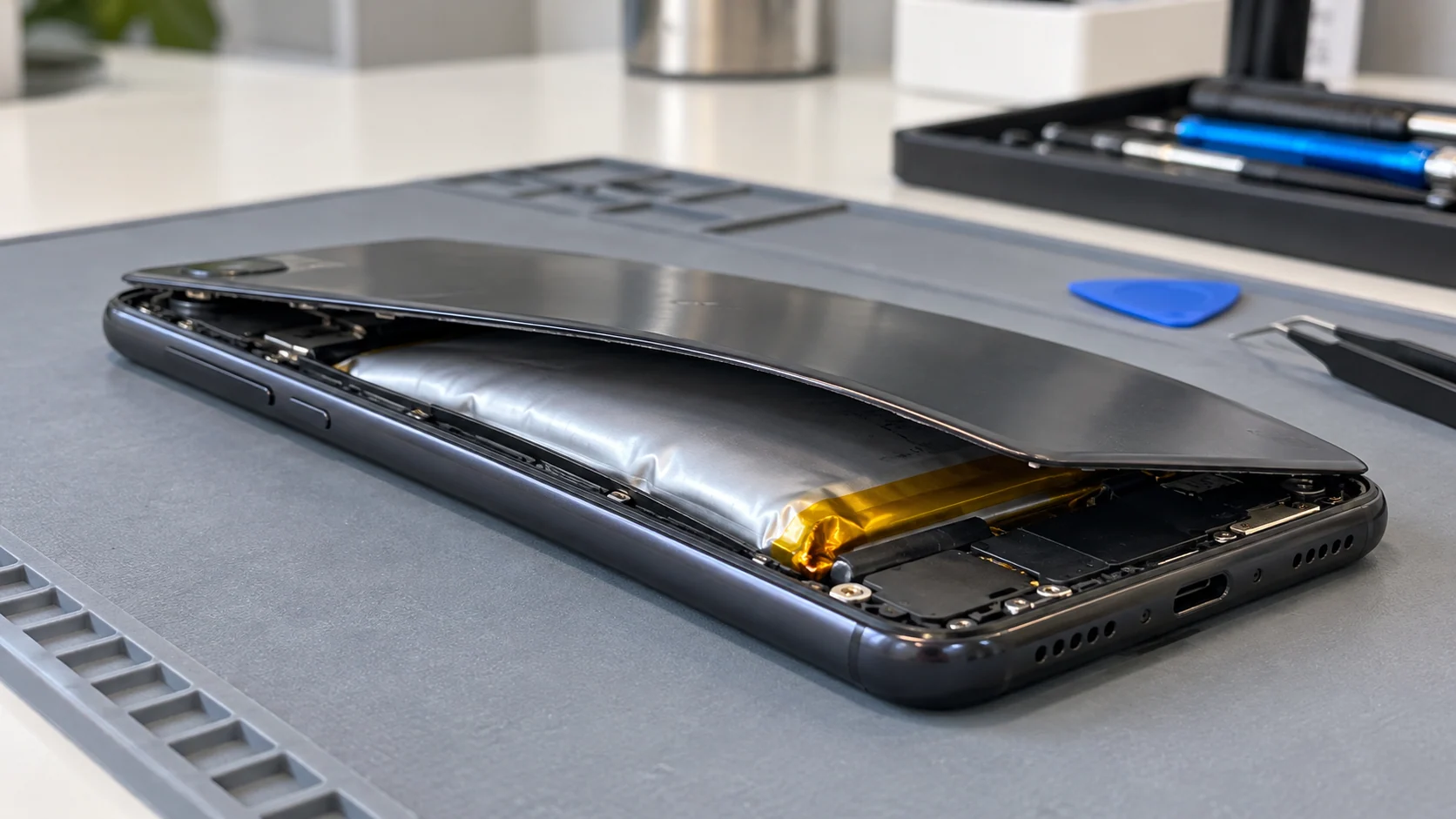
Stop using and charging a phone if its battery may be swollen. Warning signs include a screen or back cover lifting, a new gap in the case, a phone that rocks on a flat surface, unusual heat, a chemical odour or hissing. Do not press the case closed, puncture the battery, bend the phone, place it under weight or attempt a casual do-it-yourself removal. If the device is cool and stable, keep it away from children and combustible materials while you arrange trained service or approved hazardous-battery handling. If it is hot, smoking, hissing or actively burning, do not handle it; move away and call emergency services. A swollen lithium-ion battery is a safety issue, not only a battery-life problem.
Quick answer
| What you notice | What to do |
|---|---|
| Screen or back cover is lifting | Stop use and charging; do not press it closed |
| Phone feels unusually hot while idle | Disconnect power if this can be done safely and move away |
| Chemical smell, hissing, smoke or rapid heating | Do not touch or transport it; call emergency services |
| Battery is exposed, punctured or leaking | Keep people away and request hazardous-material guidance |
| Phone is cool but visibly swollen | Arrange trained repair or approved disposal without delay |
Swelling is physical damage, not a health percentage
Battery Health, charge capacity and visible swelling describe different problems. A battery can have reduced capacity without changing shape. A swollen cell has physically expanded and may push against the screen, back cover or frame. The phone may still turn on and display an ordinary battery percentage, but continued operation does not make the condition safe.
Health Canada says not to use lithium-ion batteries that are swollen, dented or otherwise damaged. Apple similarly advises discontinuing use when damage to an iPhone or its battery is suspected because it may cause overheating or injury in its iPhone safety guidance.
Treat the physical sign as the deciding factor. Do not keep charging merely to complete a backup when the case is separating or the battery area is hot.
Warning signs of a swollen battery
The most visible clue is a shape change. Look for:
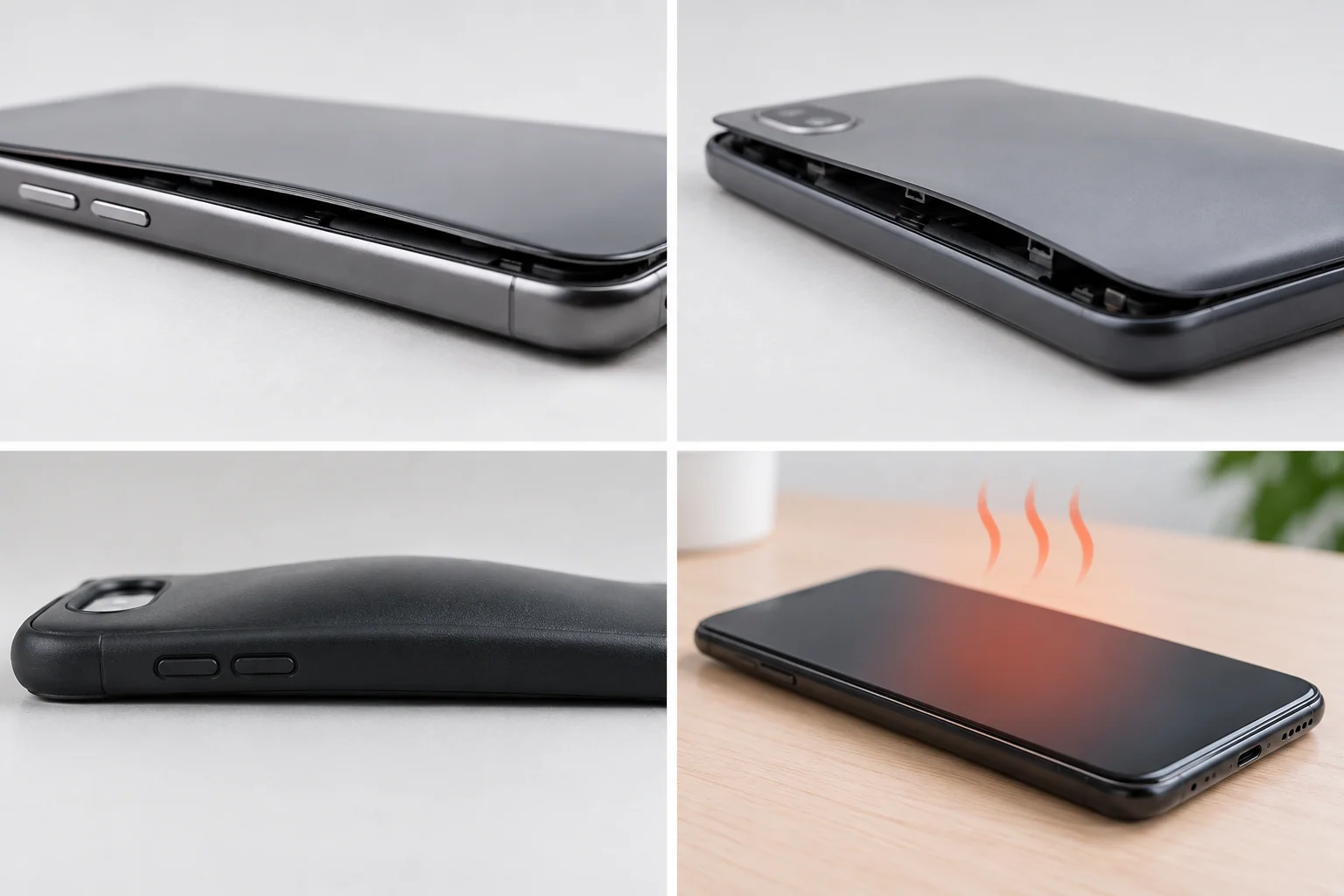
- a screen that rises along one edge;
- a back cover that no longer sits flush;
- a new seam or shadow line around the frame;
- a phone that rocks or spins on a flat surface;
- buttons that become tight because the frame is under pressure;
- an internal pouch that looks inflated after the case has already opened;
- unusual warmth during light use or while the phone is idle;
- a sweet, solvent-like or chemical odour;
- popping, crackling or hissing sounds;
- smoke or discolouration near a seam or charging port.
Not every lifted screen is caused by the battery. An impact, bent frame, failed adhesive or previous repair can also separate the display. The safe response is still to stop pressing on the device and have the interior inspected. A technician should confirm whether the pressure comes from the battery before treating it as an ordinary screen repair.
What to do right now
If the phone is cool, stable and not smoking:
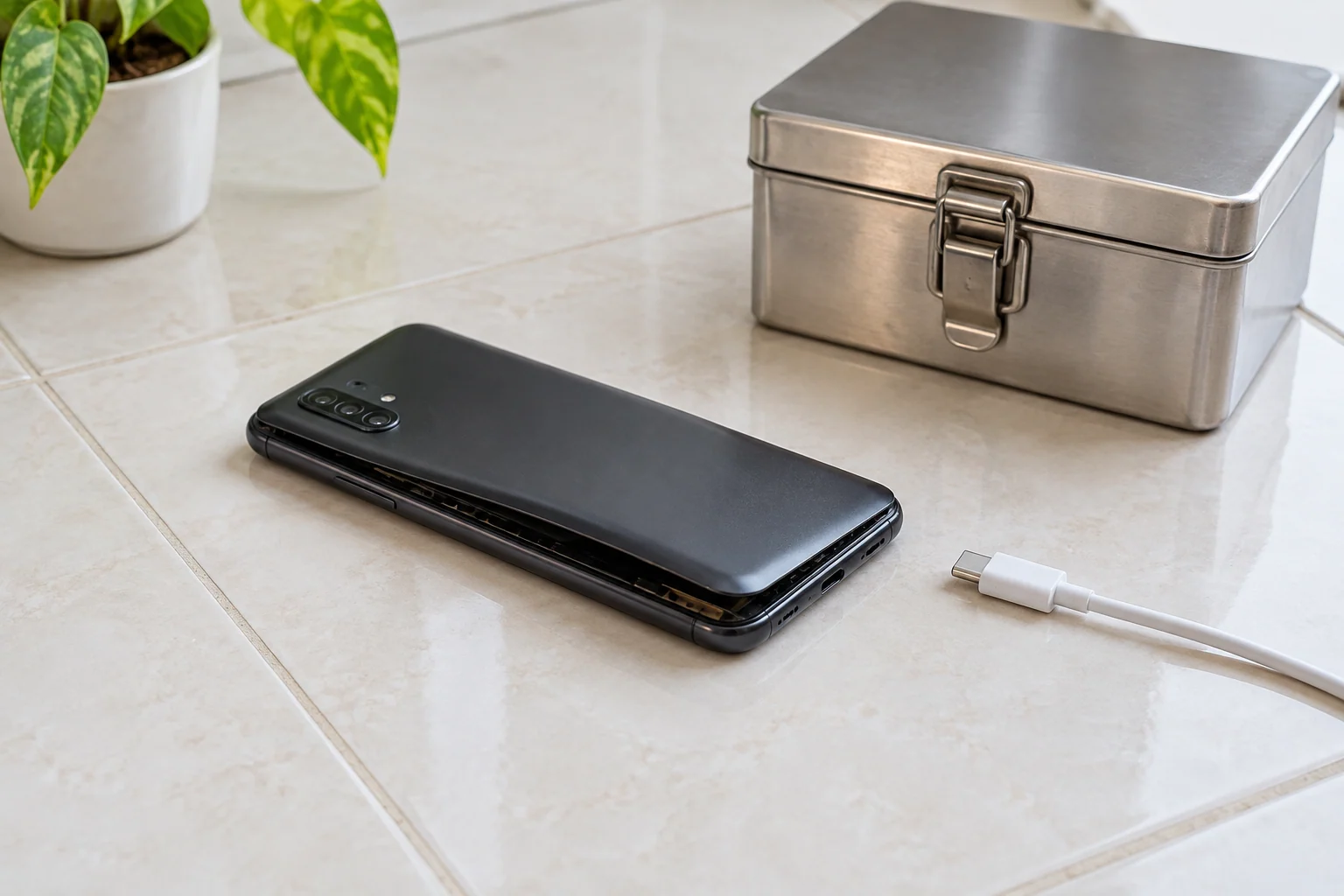
- Stop using it.
- Disconnect the charger without squeezing or bending the phone.
- Do not turn it on again to check the percentage.
- Place it on a stable, non-combustible surface away from paper, bedding and direct sunlight.
- Keep children and pets away.
- Contact a repair provider or approved battery-disposal program for instructions.
- Describe the swelling before you travel so the receiver can advise whether and how to bring it in.
Do not improvise a transport package or mail a damaged lithium-ion battery without instructions. Damaged batteries may require special handling and transport rules. Call2Recycle Canada states that swollen or otherwise damaged lithium batteries are considered damaged, defective or recalled batteries and require special handling, not a standard collection box.
If the phone becomes hot, begins to hiss, produces smoke or catches fire, do not pick it up. Move people away, leave the area if needed and call 911 or the local fire service. Avoid blocking an exit with the device.
What not to do
Do not:
- press the screen or back cover into place;
- clamp the phone or put books on it;
- puncture, cut, fold or flatten the battery;
- use a metal tool to pry near the cell;
- continue charging to create a last-minute backup;
- place the phone in a freezer, oven, microwave or direct heat;
- drop it into household garbage or curbside recycling;
- put a swollen battery into an ordinary store collection bin;
- ship it without approval from a qualified receiver and carrier.
A lithium-ion pouch can contain stored energy even when the phone displays zero percent. A puncture or internal short can create heat rapidly. The absence of smoke at this moment does not make mechanical pressure safe.
Can you back up the phone first?
If the battery is visibly swollen, safety comes before a new backup. Do not charge or operate the phone solely to transfer data. Check what already exists in iCloud, Google Photos, Google Backup, a computer backup or the applications you use.
If important data exists only on the phone, explain that during intake. The repair plan may prioritize safe battery disconnection and replacement before the phone is powered again. Data preservation can be a goal, but it cannot justify squeezing, charging or heating a damaged cell.
The smartphone repair service covers battery and case inspection. If the phone no longer powers on after the battery is made safe, data recovery can be considered separately. Neither path should begin with a reset unless a verified backup exists and data preservation is no longer required.
What a battery repair should inspect
Replacing the cell is only part of the job. The inspection should also check:
- whether the display or back cover was bent by pressure;
- whether the frame remains straight;
- whether connectors and cables were strained;
- whether old adhesive or previous repair work affected the seal;
- whether the charging system behaves normally with the replacement battery;
- whether heat or liquid damage contributed to the failure;
- whether the device can be reassembled without forcing lifted parts.
A screen that was pushed upward may have hidden damage even if the image still looks normal. A back cover may need new adhesive or replacement. The exact scope depends on the model and on how long the battery has been pressing against the enclosure.
Repair or replace the phone?
Battery replacement is often worth evaluating when the rest of the phone is in good condition, the frame is straight and the device still receives necessary software support. Replacement deserves a closer look when swelling is combined with a badly bent frame, damaged display, liquid corrosion, repeated overheating or another major failure.
Do not continue using the phone while deciding. A repair-versus-replace comparison can happen after the battery is made safe. Include the condition of the display, charging port, cameras, storage and current backup in the decision. Previous spending on the phone should not override present safety.
Safe disposal in Montréal
Lithium-ion batteries should not go into household garbage or curbside recycling. The Ville de Montréal directs residents to approved routes for hazardous household waste, including ecocentres and partner programs. However, a swollen battery is not an ordinary used battery. Contact the receiving location first and describe the damage so it can confirm the correct handling route.
If the battery remains inside the phone, do not remove it merely to satisfy a drop-off rule. A trained technician or the disposal program can advise whether the complete device should be accepted and how it must be prepared.
Final answer
A swollen phone battery requires immediate caution. Stop using and charging the device, do not press the case closed and do not attempt to puncture or flatten the cell. Keep a cool, stable device away from combustible materials while you arrange trained service or approved disposal. Treat heat, hissing, smoke or fire as an emergency and do not handle the phone.
The phone may still be repairable, but safety and data preservation must be planned before it is powered again. A diagnosis should cover the battery, frame, display, cables and charging system rather than treating the visible gap as a cosmetic issue.
Arrange a safe assessment in downtown Montréal
Before travelling, contact the shop and describe the swelling, heat and any odour or noise. If the phone is cool and the receiver confirms that it can be transported, bring it to Allô Réparation on Google Maps. Do not charge it for the trip or force it into a tight bag.